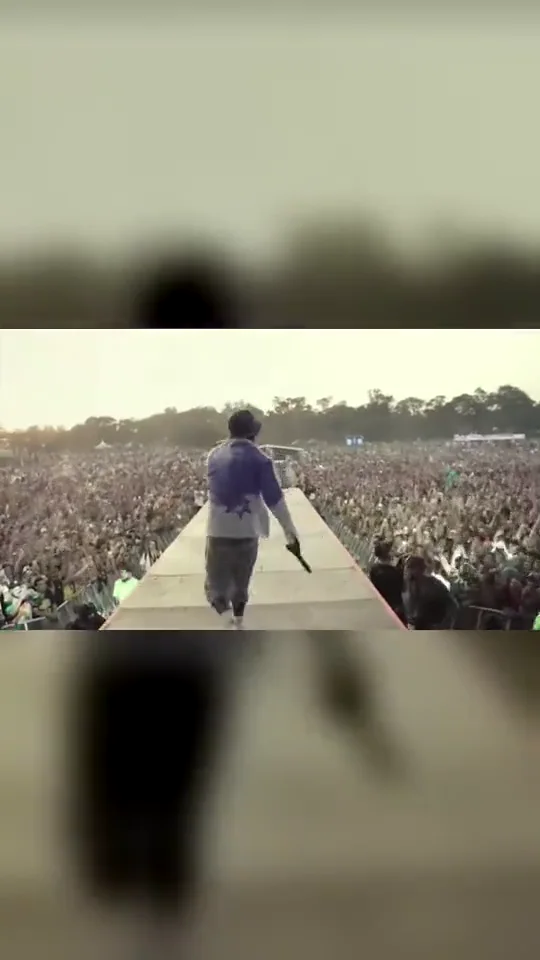
This middle cut starts as the performer turns toward the audience and follows the high steps down the runway. It uses reference seconds 6 to 21, with no splice. The wide crowd is the focus, so your clothing and silhouette matter as much as the face.
Tips for the crowd runway
Use a waist-up or full-body photo to show the outfit clearly.
Choose a photo with your natural build visible, without heavy filters.
Keep 16:9 for the audience panorama; vertical output changes the framing.
What is already set for you
The subject: the adult in your photo, with your own hair and clothes.
The scene: the long outdoor festival runway surrounded by the audience.
The timing: Each cut uses 15 consecutive seconds of the same reference. No stitched reference segments or artificial speed-up.
With the Crowd Runway template, Walkout AI turns your photo into a lil yachty walkout ai video set in the long outdoor festival runway surrounded by the audience. Upload it, select the template and generate.
What does the crowd runway look like?
On Walkout AI, the crowd runway is the adult in your photo, with your own hair and clothes. It is a generic design with no brand marks.
Why is the performer mostly seen from behind?
Crowd Runway follows the performer toward the audience, so the back of the head and clothing are visible for much of the 15-second clip. Walkout AI uses your photo for identity and outfit, but a front-facing photo cannot supply every unseen detail. The model must infer the back of clothes and hair.